
Both systems can hold a correct wine inventory. Both can also become an abandoned snapshot. The difference is usually not the number of features. It is whether the tool is comfortable at the moment a bottle is bought, moved or opened.
A spreadsheet is excellent at rows and columns
Spreadsheets make custom fields easy. You can sort a large table, calculate totals, paste a merchant list and inspect the collection on a wide screen. If valuation, insurance reporting or sharing data with another system is the main job, a spreadsheet may be the right foundation.
It is also transparent. You can see the whole structure and change it without waiting for an app feature.
The weakness appears beside the rack
Opening a laptop to record one bottle is enough friction to postpone the update. A phone spreadsheet works, but taking a label photograph, connecting it to the right row and editing several cells is rarely pleasant with one hand around a bottle.
Postponed updates create the real cost. After five openings and a mixed delivery, memory becomes the inventory method.
An app can match the physical workflow
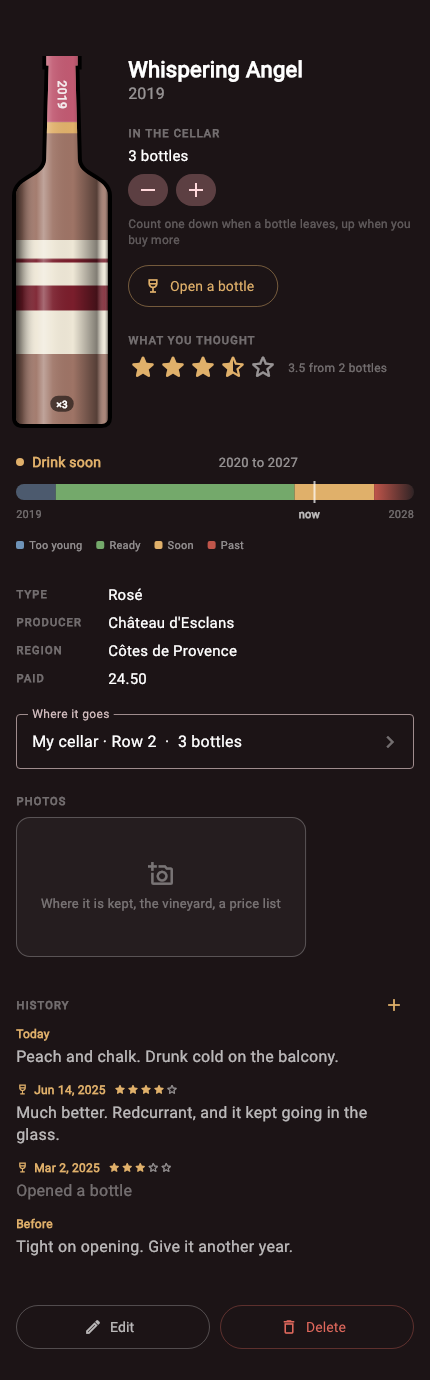
A cellar app can begin with the camera, keep the bottle image with the record, present a rack and row picker, and reduce the quantity with one action when a bottle is opened. Search can return to a visual shelf rather than a cell containing "R2".
Cellar is built around that sequence. It is less suited to custom calculations because it deliberately has an opinion about the small set of things a bottle needs.
Choose based on your difficult moment
If the difficult moment is importing and restructuring hundreds of existing records, a spreadsheet has an advantage. If it is standing in a dim cellar trying to add six labels before dinner, the phone workflow matters more.
For a personal collection with photographs and changing quantities, an app often stays more current. For a business process, a shared collection or complex financial analysis, a spreadsheet or specialist database may be more appropriate.
Avoid maintaining two masters
Using both can work when one is clearly the source of truth and the other is an occasional report. Keeping two live inventories means every bottle must be updated twice. Eventually one will be wrong, and it may not be obvious which one.
Pick the place where everyday changes are recorded. Back it up. Let every other view remain secondary.